


Fresno Bee News | California
3.893.00 Reviews
App Specs
- Version
- 11.1.16
- Updated On
- License
- Free
- Downloads
- 10,000+
- Developer
- McClatchy
- Categories
- News & Magazines
- Platform
- Android
Screenshots
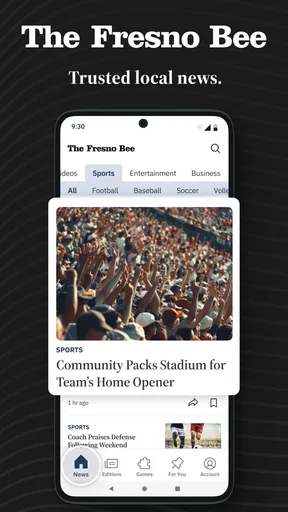
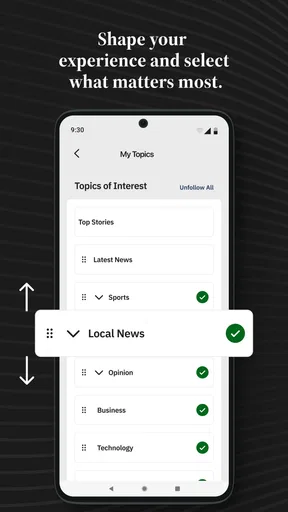
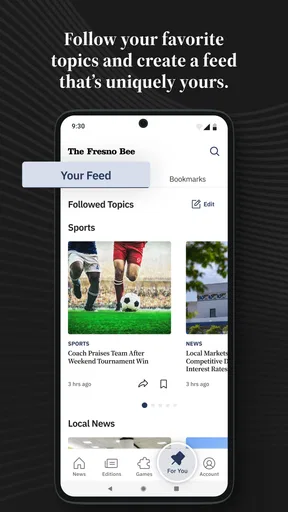
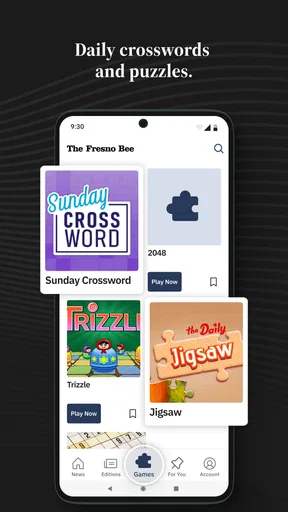
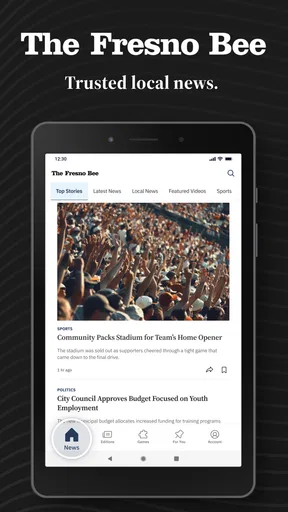
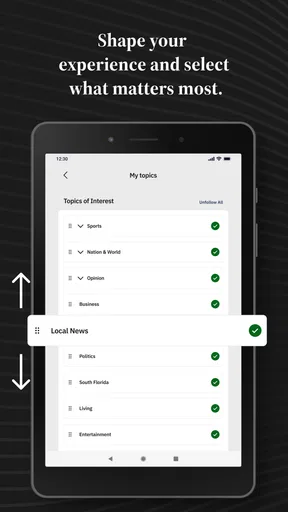
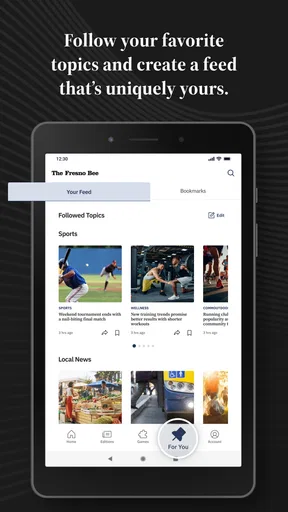
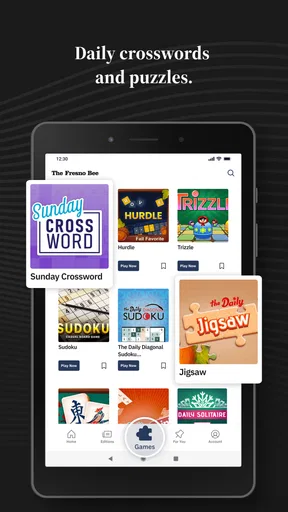
 Analysis by AppCompare
I found Fresno Bee News | California most useful when I treated it as a focused local-news companion rather than a complete replacement for every news source on my phone. Its purpose is clear: it brings reporting about Fresno and the Central Valley together with local California weather, politics, and sports. That narrow focus is also its main strength. I can open it with a specific regional question in mind instead of sorting through a national feed filled with stories that have little connection to daily life in the valley.
The app is free to install, and McClatchy is the developer behind it. In my experience, that makes the decision to try it fairly easy, especially for anyone who already follows Fresno-area events or wants a more local perspective than a general news reader provides. The important qualification is that free installation does not mean every part of the experience is necessarily free: the app includes in-app purchases ranging from $7.99 to $159.99 per item. I would therefore install it to explore the available coverage first, then check what access is offered before assuming the whole publication is included without charge.
A focused window into Fresno and the Central Valley
I’d use this section to help you decide whether a Fresno-centered news app matches the way you follow local events. The key question is how often Central Valley coverage matters in your day: a focused app can make those stories easier to find, while a broader reader may suit you better if you want many regions and subjects in one place.
Why the local angle matters
Most broad news apps are good at showing what is nationally prominent, but they are often less helpful when I want to know what may affect my neighborhood, commute, school district, local teams, or nearby communities. Fresno Bee News | California starts from a different editorial need. Its store summary centers Fresno and the Central Valley, while also pointing toward California weather, politics, and sports. That combination gives the app a practical identity instead of making it feel like another generic headline stream.
I especially appreciate this kind of regional concentration during an ordinary weekday. Imagine checking the phone before leaving for work, wanting a quick sense of local conditions and the stories people around Fresno are discussing. A national app might make me scroll past international developments, celebrity news, and national political updates before finding anything relevant. A local publication app gives that first look a better chance of matching the question I actually have.
The trade-off is obvious but important: a regional news app cannot serve every information need equally well. If I want a broad overview of world events, technology news, business markets, or entertainment from across the country, I would use a larger national source alongside it. I see this app as a layer in a news routine, not as the only place I should look.
Coverage areas that make the app useful
The mix of local news, weather, politics, and sports is more valuable than any one category on its own. Local news helps explain what is happening close to home. Weather gives the app an immediate everyday purpose. Politics adds context for regional decisions and California issues. Sports gives it a reason to return for readers who follow local teams and competitions. Together, these subjects cover several of the reasons people check a regional publication during the day.
Worth Reading Before You Choose

EA SPORTS FC Mobile 26 Is a Bigger Football Game, but It Takes Time

Flipboard Shows What News Apps Must Do Beyond the Feed

Switching to Android Auto Means Rethinking Your Driving Routine

Google Calendar Makes a Crowded Week Easier to Manage

Ludo King Makes the Most of the Minutes Between Plans

Baby Panda World Brings Quick Play to Modern Phones, but Its Game Library Feels Busy
That mix also changes how I would use the app at different times. In the morning, weather and major local developments are the natural starting points. During a lunch break, I might browse political reporting or community stories. Later, sports coverage can make the same app relevant again. This repeated usefulness is a stronger argument for keeping it installed than a single category would be.
One practical tip is to approach the app with a small reading plan instead of opening it aimlessly. I would first scan the most important local developments, then check weather only when I need a decision-making update, and save sports or political reading for when I have more time. That habit helps prevent a local news feed from becoming background noise and makes the app feel more purposeful.
What the app’s history and current build suggest
This is not a brand-new experiment. Fresno Bee News | California was released on December 27, 2011, and its current version is 11.1.16. For me, that long presence suggests a publication app that has had time to remain part of a local-news ecosystem, even though longevity alone does not guarantee a perfect interface. The important point is that the app is established enough to be considered as a regular regional reading tool rather than a temporary headline project.
It requires Android 8.0 or later, so anyone using a much older Android phone should check compatibility before planning around it. On a supported device, I would still keep expectations realistic: a publication app is primarily about reading and checking coverage, not about replacing a full newspaper archive, a dedicated weather service, and a broad breaking-news platform all at once.
The app has more than 10K installs, with an average rating of 3.8 from 284 ratings and 93 reviews. I read that as a sign of moderate usefulness rather than universal satisfaction. It has enough adoption to be relevant to people searching for Fresno-area coverage, but the rating also tells me to judge the experience against my own needs instead of assuming it will suit everyone.
How I would compare it with ordinary alternatives
The closest alternative is probably a mobile browser pointed at the publication’s website. A browser can be convenient when I only need one article, and it avoids adding another app to the phone. The dedicated app becomes more appealing when I want a repeatable way to check the same regional subjects throughout the day. The choice comes down to habit: occasional readers may be perfectly happy in a browser, while regular local-news readers gain more from having a direct place for that routine.
A general news aggregator offers the opposite experience. It can gather many publishers and provide a wider range of national and international headlines, but its personalization may bury Fresno-specific reporting under stories selected for broad popularity. Fresno Bee News | California is the better fit when regional relevance matters more than maximum variety.
A dedicated weather app may still be better for detailed forecasts, alerts, maps, or specialized planning. I would not install this news app expecting it to become my only weather tool. Its weather coverage makes the publication more useful in context, but someone planning outdoor work, travel, or weather-sensitive activities may reasonably prefer a specialist service as well.
The small workflow improvements I would use
My first recommendation is to make the app part of a two-stage news routine. I would use it for local discovery, then open a broader source only when a story needs national context. This prevents the regional focus from feeling limited while preserving its main advantage: it surfaces Fresno and Central Valley concerns without asking me to search for them.
My second recommendation is to separate quick checks from deliberate reading. A quick check is useful for seeing whether anything important has changed locally. Deliberate reading is better for politics and complicated community issues, where a headline alone can give me an incomplete impression. Treating those as different activities makes the app more useful and reduces the temptation to judge local reporting from a few short headlines.
My third tip is to think carefully about the purchase model before committing. Since in-app items range from $7.99 to $159.99, I would not assume that installing the free app tells me the final cost of the reading experience. I would inspect the access options, understand what I can read without paying, and decide whether the amount of local coverage I expect justifies any purchase. That is particularly important for casual readers who may only open the app once or twice a week.
The meaningful friction
The biggest limitation is not that the app is local; it is that local focus can feel narrow on days when nothing in the selected subjects interests me. Someone who wants one application for every kind of news may quickly find the boundaries frustrating. The app is strongest when I care about Fresno, the Central Valley, or California-focused subjects. It is less convincing as a general-purpose news reader.
The purchase range is another point that deserves attention. A free download lowers the barrier to testing the app, but the presence of paid items means the overall value depends on what access a reader wants. For a dedicated local-news follower, paying for fuller access may make sense. For someone who only wants occasional headlines, the cost may feel harder to justify compared with free aggregators or browser searches.
The rating of 3.8 also makes me cautious about recommending it without qualification. I would not interpret that score as a reason to avoid the app, because ratings can reflect different expectations and use patterns. I would interpret it as a reminder to test the reading experience on my own phone, especially if I care about smooth daily use more than simply locating local stories.
There is also a difference between wanting local reporting and wanting immediate alerts about every possible event. I would choose this app for structured regional reading, but I would not rely on it alone for urgent safety information, highly specialized forecasts, or a complete picture of fast-moving national stories. Those needs call for additional sources that are designed around them.
Who should install it
I think Fresno Bee News | California is a strong candidate for Fresno residents, Central Valley readers, former locals who want to keep up with home, and anyone whose interests are tied to California regional affairs. It is also useful for readers who are tired of broad feeds and want their first news check to feel geographically relevant.
It may suit families who need a simple way to keep an eye on local developments, people following regional politics, and sports readers who prefer coverage connected to their area. The app’s value increases when local information affects a person’s daily choices rather than being something they read only out of curiosity.
I would be more hesitant to recommend it to someone who wants international coverage, financial news, technology reporting, or a highly detailed weather tool in one place. I would also suggest that very occasional readers compare the app’s available free access with their actual reading habits before paying for anything. If the goal is only to search for one local article every few weeks, a browser may be the simpler option.
For older Android phones, the minimum requirement of Android 8.0 is worth checking. The age rating is Everyone 10+, which makes the app broadly suitable for that audience, although parents should still remember that news content can cover serious or unsettling real-world events even when an app is not aimed at adults only.
My final assessment
After looking at what this app is designed to do, my view is straightforward: Fresno Bee News | California works best as a dedicated local-news habit, not as a universal news replacement. Its regional focus gives it a clear purpose, and the combination of Fresno and Central Valley reporting with California weather, politics, and sports makes it more useful than a single-topic publication feed.
I would recommend trying it if local relevance is the main reason I open a news app. I would keep a broader source nearby for national and international context, and I would check the in-app purchase details before deciding whether the free experience is enough. That combination respects both the app’s strengths and its limits.
McClatchy’s app has a practical role for readers who want their news to begin close to home. It is not the right choice for everyone, but for the person who regularly asks, “What is happening around Fresno and the Central Valley today?”, that focused regional perspective is the reason to keep it installed.
In short, I see it as a useful companion for local awareness, especially when paired with a specialist weather service and a wider news source. If that is how you plan to use it, the free download is worth exploring. If you want one app to cover the entire news world, I would choose a broader alternative instead.
Pros
- Covers local Fresno and Central Valley news in depth.
- Includes reporting on California politics
- education
- and community issues.
- Provides timely updates on breaking regional stories.
- Offers access to trusted journalism from an established local newspaper.
- Useful for readers who want news beyond national headlines.
Cons
- Some articles may require a paid subscription to read fully.
- Advertising can make parts of the app feel visually crowded.
- Coverage is strongly focused on Fresno and nearby communities.
- Push notifications may become frequent during major news events.
- App performance and features may vary across different devices.
FAQs for Fresno Bee News | California
What is Fresno Bee News | California?
Fresno Bee News | California is a mobile news app focused on local reporting from Fresno, the Central Valley, and surrounding California communities. It typically provides access to breaking news, politics, crime, education, business, sports, entertainment, weather, and regional features. The app is designed for readers who want Fresno-area coverage in a convenient format rather than relying only on a desktop website or printed newspaper.
Is Fresno Bee News | California free to download and use?
The app can generally be downloaded without an installation charge, but downloading it does not necessarily mean that every article or feature is free. Some content may be available to all readers, while premium stories, archives, newsletters, or full digital newspaper access may require a subscription or account. Before subscribing, review the current pricing, trial terms, renewal conditions, and cancellation options shown in the app store or within the application.
What type of news can I read in the app?
After reviewing the app’s purpose and content structure, its main value is its emphasis on local and regional journalism. Readers can expect coverage of Fresno and Central Valley events, local government, public safety, schools, agriculture, health, business, sports, and community issues, along with selected California and national stories. Available sections and article topics may change as the publisher updates its editorial coverage.
Does Fresno Bee News | California require an internet connection?
An internet connection is normally required to load the latest headlines, open articles, display images, and receive breaking-news updates. The app may retain limited previously loaded content, but it should not be treated as a complete offline reader unless an explicit download or saved-article feature is available. For the best experience, use a reliable Wi-Fi or mobile-data connection and allow the app to refresh in the background if desired.
Can I receive notifications and customize my news experience?
The app may offer push notifications for breaking news, major local developments, sports updates, or other important stories. Notification controls are usually available through the app’s settings and your Android or iOS system permissions, allowing you to disable alerts or limit them to topics you care about. You may also find options for saving stories, adjusting text display, signing in, or managing subscription preferences.


